

 We produce design-related software with a focus on usage-efficiency,
and for deployment on a specific hardware-platform.
We produce design-related software with a focus on usage-efficiency,
and for deployment on a specific hardware-platform.
Usage-efficiency:
We have created a temporal approach to UI-design called InterUnit-UI, that makes it possible to design apps for usage-efficiency.
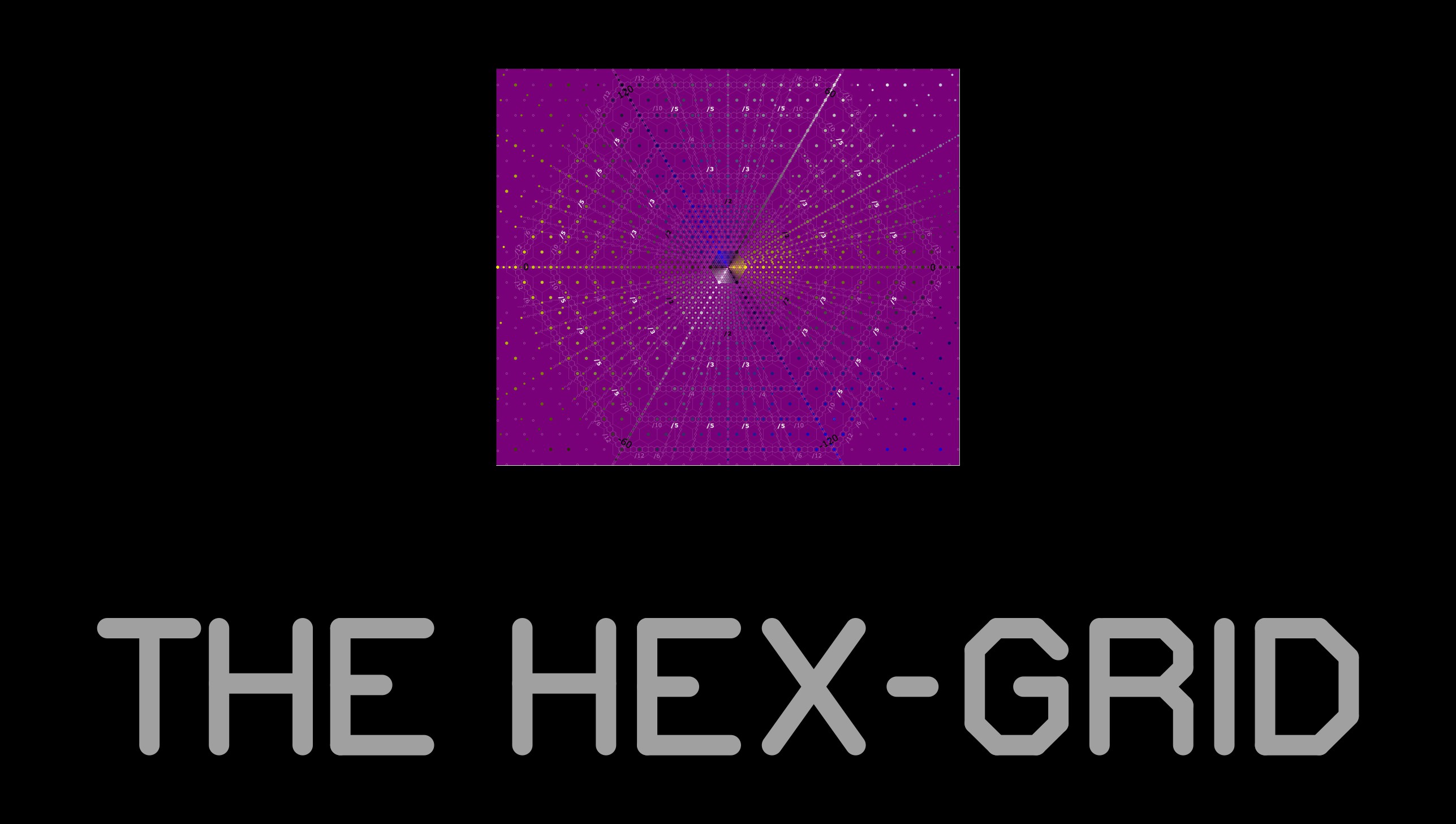
We also use a hexagonal-grid (instead of a cartesian-grid) as a basis for the design of all graphics related tools (which greatly simplifies design-specification) and for spatial layout in 2D.

Targeted hardware-platform:
We target a laptop-like platform based on a smartphone.
It consists of a smartphone that fits inside a specially designed desktop-cradle for the smartphone, a keyboard, mouse, external screen and optionally other input/output peripherals. It is lightweight (1240 gms), portable (361 mm x 250 mm x 40 mm), and power-efficient -- very similar specifications as a 15" Macbook Air.


What exists?
All PC platform OS vendors provide mature app-development tools,
based on WIMP-UI,
that make it very simple to produce app UIs very quickly.
They provide an extensive library of designed WIMP UI components, also called UI-widgets.
Widgets have been designed and refined over time for a wide range of use-cases.
However the usage efficiency of the resulting UI cannot be controlled,
because the user actions required to operate the UI are fixed by the widget designer.
Only look and feel can be, and has been, optimised over several years and iterations.
The existing complexity.
Most existing tools have poor usage-ergonomics.
They are all apps running inside WIMP-based UI frameworks (native or browser-based).
They tend to be feature heavy,
require a lot of fine-grained mouse usage and switching between mouse and keyboard use,
and hence require the designer to be attentive to the app's UI to a large degree.
This a specially taxing process on the user's short-term memory.
Shapr3D is a recent MCAD tool that targets better usage-ergonomics.
What we have created.
We have created a simpler UI-design alternative to WIMP-UI called InterUnit-UI.
InterUnit-UI is a temporal UI-design paradigm that makes it possible to control an app's usage-efficiency.

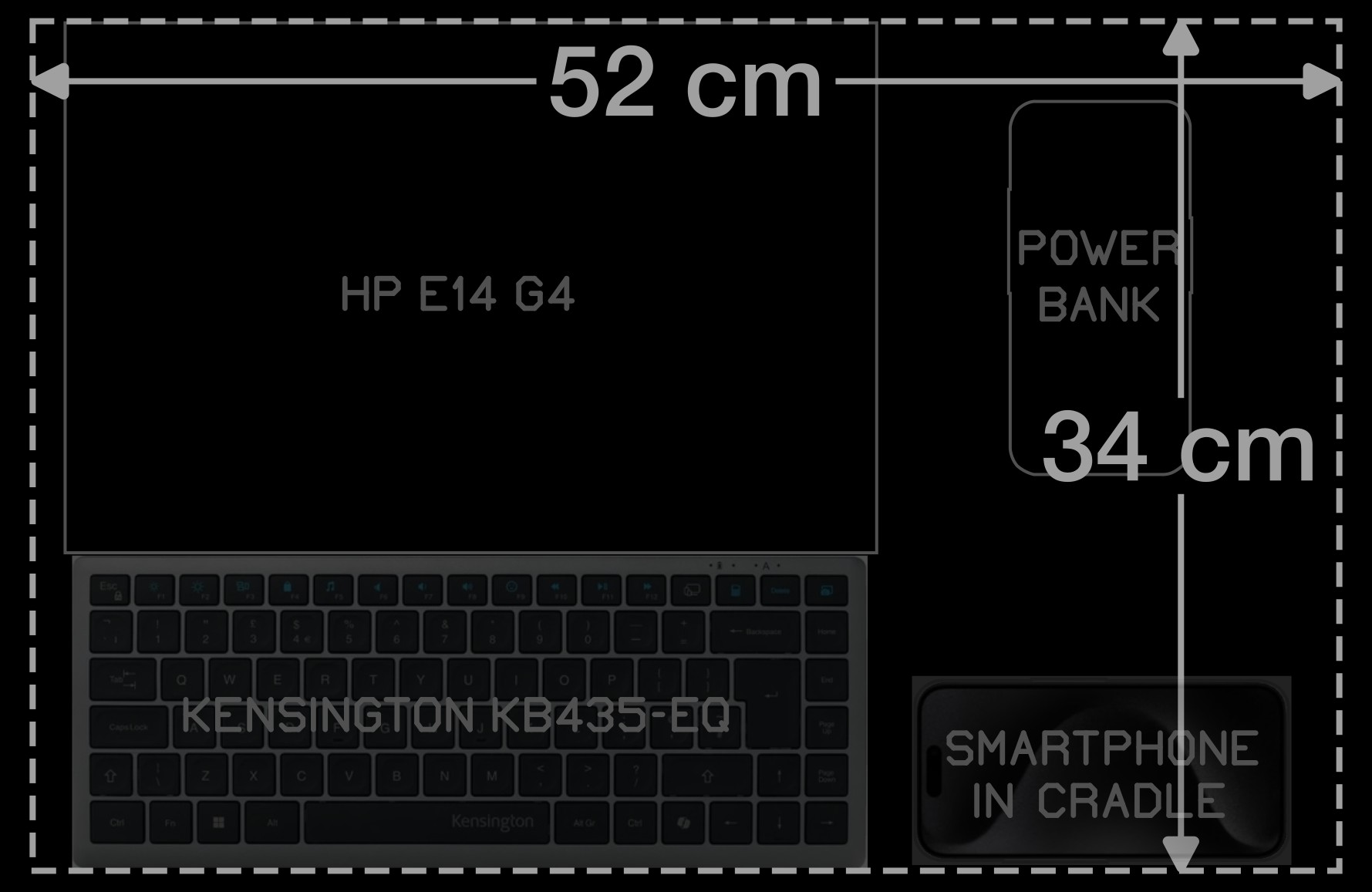
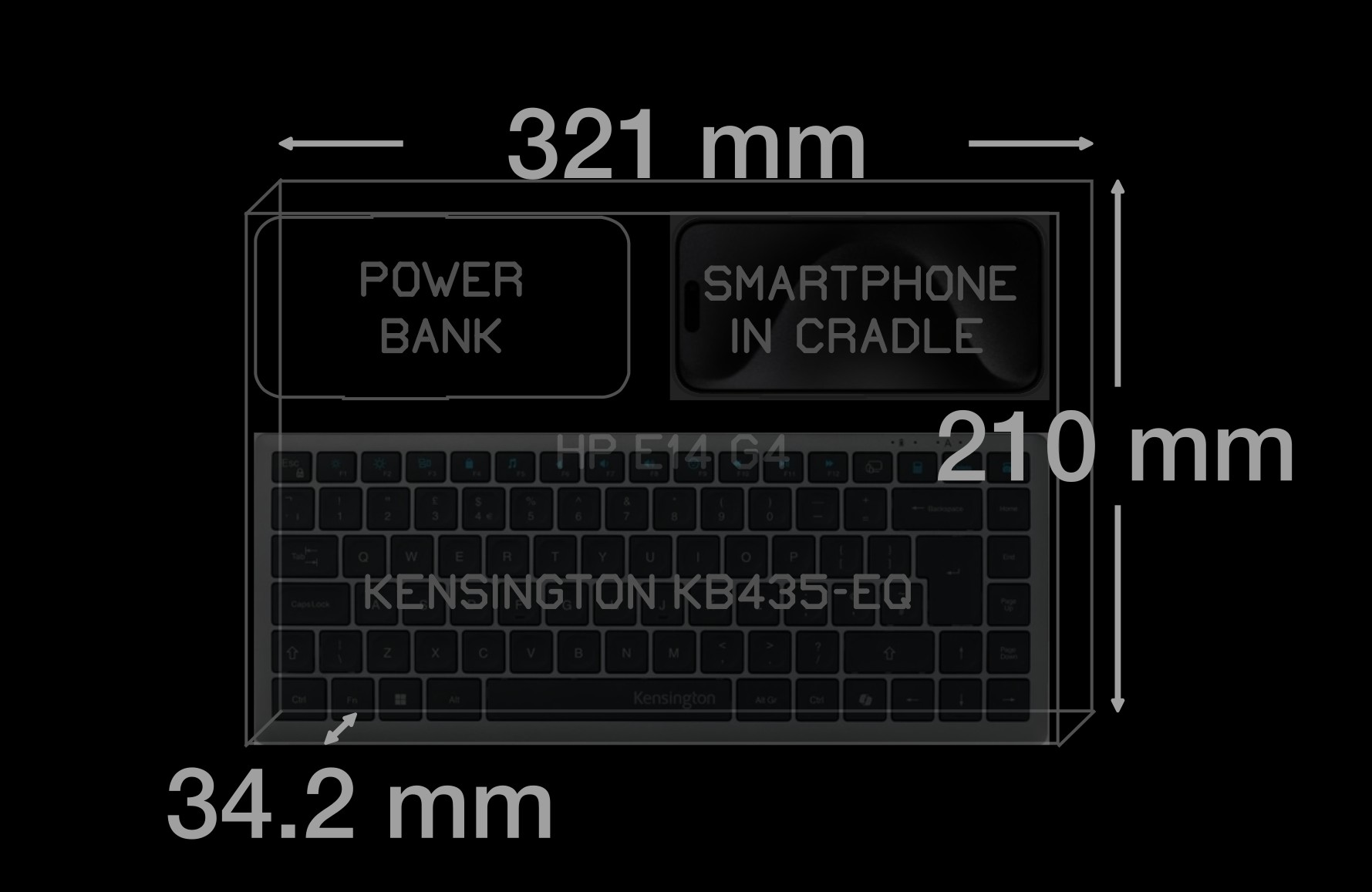
Figure. Illustration of approximate usage area perimeter for planned platform.
What?
We have designed a target hardware-platform for our apps -- a laptop like portable platform based on an iPhone or Android smartphone.
How?
A smartphone is placed inside specially design cradle that anchors the smartphone to a table surface and enables its use for desktop user-input.
A keyboard, mouse, external screen are added and optionally other input-output peripherals.
The app is a smartphone app that displays to an external screen and takes input from external input peripherals.
The complexity that exists.
As things stand today, it is very difficult to get a laptop like usage experience from a smartphone.
The 2 major OS's for smartphones are iOS and Android. Apple provides MacOS for laptop devices and Linux or Windows are also used for laptop devices.
Both smartphone OS's provide the ability for a smartphone to connect to external screens and user input peripherals.
But the purpose of this capability is to make presentations on larger screens.
A smartphone's screen can be mirrored to an external screen or an external screen can be used as an extended display.
Smartphone apps that use an external screen as a primary display are rare.
Apps that use an external keyboard and an external screen as a primary display are even more uncommon.
With our new platform, we are targeting apps that run on a smartphone but look and feel just like laptop apps.
We want to use the smartphone primarily as a highly capable and power-efficient CPU and GPU, and not primarily as a hand-held computing device.
InterUnit-UI makes this possible and even easy to accomplish.
Testing the platform.
The primary functions of any graphical user interface are:
selection, timed-execution, text-input and content description.
Content description using a GUI is a good way to validate its efficiency.
We plan to showcase InterUnit-UI on this planned platform, by demonstrating all 3 of our apps running on it.
Ergonomix for data editing, Hex-draw for 2D graphic design and The Specifier for 3D graphic design.


The planned platform has the following components:
-
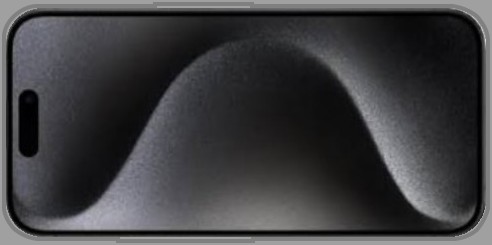
A smartphone.
iPhone 15 Pro (146.6 mm x 70.6 mm x 8.3 mm, 187 gm) or Samsung Galaxy S25 or Motorola Signature smartphone. -
A specially designed cradle for the smartphone.
(166.6 mm x 90.6 mm x 12.3 mm, 200 gm).
-
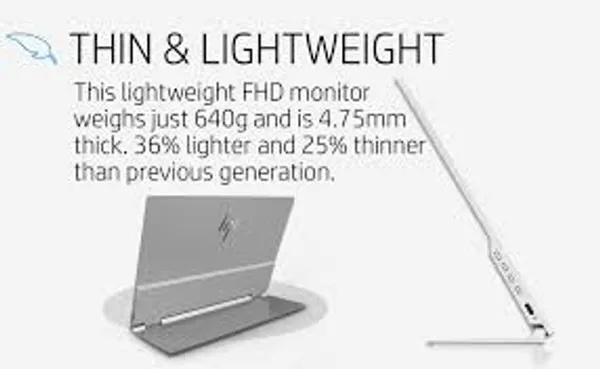
A portable screen.
HP E14 G4 FHD screen (321 mm x 210 mm x 15.2 mm, 640 gm).
-
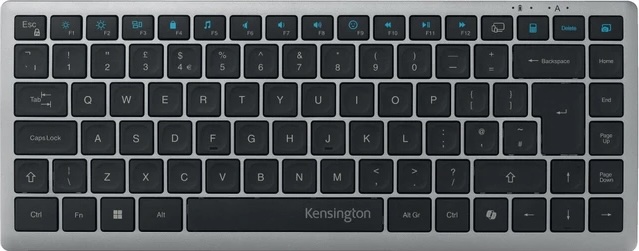
A compact keyboard.
Kensington KB435-EQ keyboard (318 mm x 125 mm x 19 mm, 420 gm).
Packaging dimensions (containing box, internal volume):
361 mm x 250 mm x 40 mm. (Macbook Air 15": 340.4 mm x 237.6 mm x 11.5 mm).
Package weight (bag of parts):
1260 gm. (Macbook Air 15: 1510 gm).

The planned platform could be laid out as illustrated below:
Some packaging considerations are illustrated below:

A smartphone is designed to be used as a hand-held device typically in portrait mode.
When used as part of this laptop-like platform, it needs to be used as a device secured (in an immovable way) to a table.
For this purpose, we are designing a cradle. When placed inside this cradle, the smartphone's touchscreen can be used as an input device similar to a touchpad. This helps simplify the design of an app for dual-use -- smartphone-only or inside this platform.
Dimensions: 166.6 mm x 90.6 mm x 12.3 mm.
Weight: 200 gm.

This is a 14" FHD (1920x1080) portable screen.
It has a small built-in battery and a well designed hinge that folds open to a 78 deg screen-angle.
2 USB-C input ports for charging or display data.
We use a small powerbank (such as Xiaomi 4900 mAh) to keep the screen charged.
Dimensions: 321 mm x 210 mm x 15.2 mm.
Weight: 640 gm.

This is a lightweight, compact form-factor keyboard.
It connects wirelessly over Bluetooth and has a rechargeable battery.
Dimensions: 318 mm x 125 mm x 19 mm.
Weight: 420 gm.

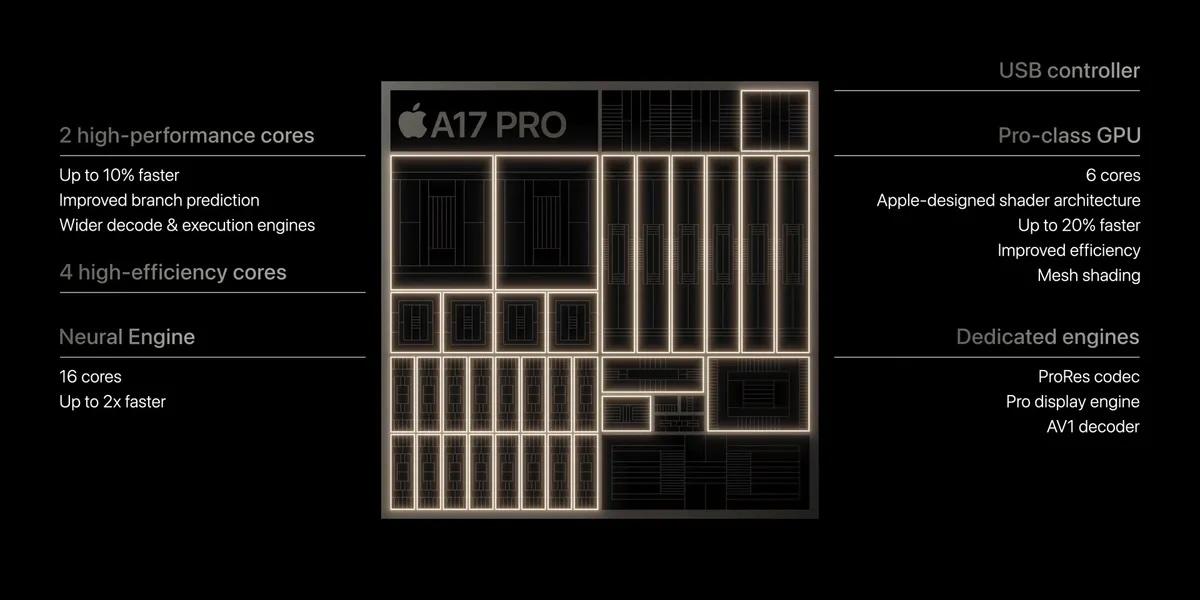
Apple's A17 pro SOC contains a 3.78 GHz ARM ISA based microprocessor,
a 6-core graphics engine and a 6.4GHz DDR4 memory interface.
It's a well designed low power SOC that can easily be used in a desktop design environment.
It can drive a 4k screen at 30Hz
and has enough processing power for graphics intensive applications
(that have high computational requirements).

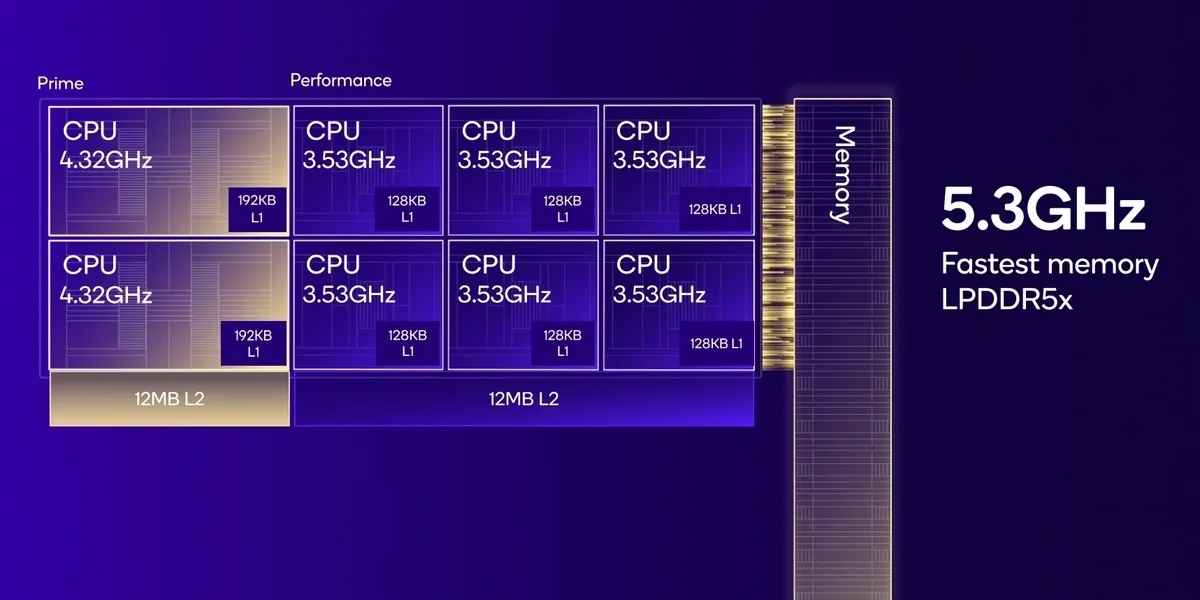
Qualcomms's SnapDragon 8 SOC.

Below is a brief description of various aspects of our design approach.

The Specifier is being designed in sync with the design of a bicycle-stabiliser. Hex-draw is being designed in sync with the design of a website. Ergonomix is beign designed to develop both The Specifier and Hex-draw. The design approach is not to design everything up-front for the most general design scenario, but instead design for a specific use-case, then redesign for more use-cases, then identify those tool aspects that are common across use-cases and add them to a more general-purpose tool. We refer to this as use-centric design.

All 3 apps are being written in C++ and use the native libraries provided by platform vendors.
Hex-draw includes a specially designed hex-grid based 2D graphics library that connects with a platforms cartesian grid based graphics library.
The Specifier includes a specially designed hex-grid based 3D graphics library.
This library does not rely on 3D hardware acceleration,
and is implemented, instead, using a platform's native 2D drawing library.
It is also designed with a minimal feature-set and resource usage approach.
These implementation choices significantly lower computational complexity,
and The Specifier will be very responsive on average PC hardware as a native app.
All existing tools MCAD have high implementation complexity and are either implemented as native apps,
requiring workstation class processors,
or cloud-based apps, implying browser and internet-bandwidth constraints.

Ergonomix uses standard c++ files for data exchange with other app-design tools. Hex-draw creates outputs that are compatible with existing widely used file formats. All of these formats are designed using cartesian coordinate systems. Hex-draw translates its hexagonal grid based vector data to a cartesian system in a user-transparent manner. A conversion tool to import cartesian vector content produced by other tools is planned. The Specifier will export to and import for the ISO's STEP format. We plan to implement Model Context Protocol servers for all our apps so that they can be controlled by AI-agents.