


We have developed a new PC-UI design approach. This approach can be easily implemented on any PC platform.
We are producing a UI-design SDK based on this new approach and an efficient source-code editor for using this SDK.


A UI is a sequence of time-sliced interface-units (InterUnits).
An InterUnit presents an interface behaviour that services a specific user-goal.
This is ergonomically efficient and reduces cognitive load.

Ergonomix is a source-code editor for developing PC-UIs using InterUnit-UI. It is designed to improve developer efficiency in editing source-code and showcases the efficiency of an InterUnit-UI based UI. WIMP developers will find it easy to switch over.
The Paradigm
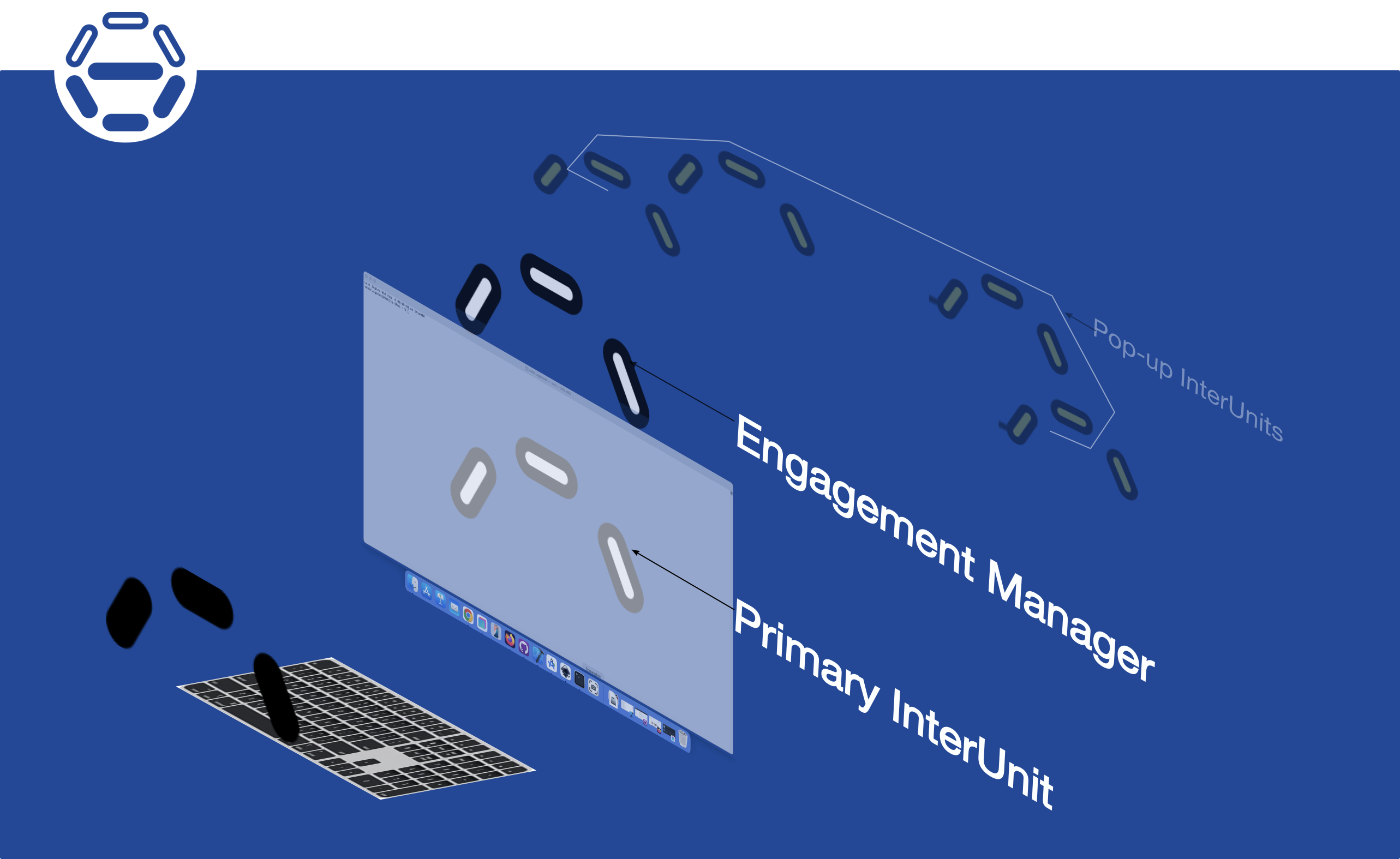
InterUnit-UI is a temporal approach to graphical UI design that does not use the spatial concept of Windows.
A UI is a sequence of time-sliced "interface-units" called InterUnits.
Each InterUnit presents an interface behaviour to service a specific user-goal,
and has full control over the screen and all user-input peripherals.
A customisable device-specific app called the EngagementManager
orchestrates the loading and unloading of InterUnits,
and maintains some memory of the user's interaction with InterUnits from the point it is loaded.
SDK licensing
Khitchdee Design is applying for copyright and intellectual property protection for InterUnit-UI technology.
Our intellectual property attorneys are Mendelsohn Dunleavy, PC.

Non-commercial Use
InterUnit-UI will be free for non-commercial use.
Individual Developer Licenses
An individual developer may license Ergonomix (that includes InterUnit-UI) for an annual license fee.
Team Licences
A small development team (<10 people) may also license Ergonomix for an annual license fee.
A single team license may be used by all members of a team.
Larger organisations and universities can license Ergonomix at negotiated annual rates.
OEM Licences
OEMs may license the InterUnit-UI SDK to develop UI front-ends for any PC or mobile device (e.g. Android Linux Desktop, Raspberry-Pi).
These licenses will have an up-front fee and per-unit royalty.
Smartphone-based InterUnit-UI showcase platform (planned)
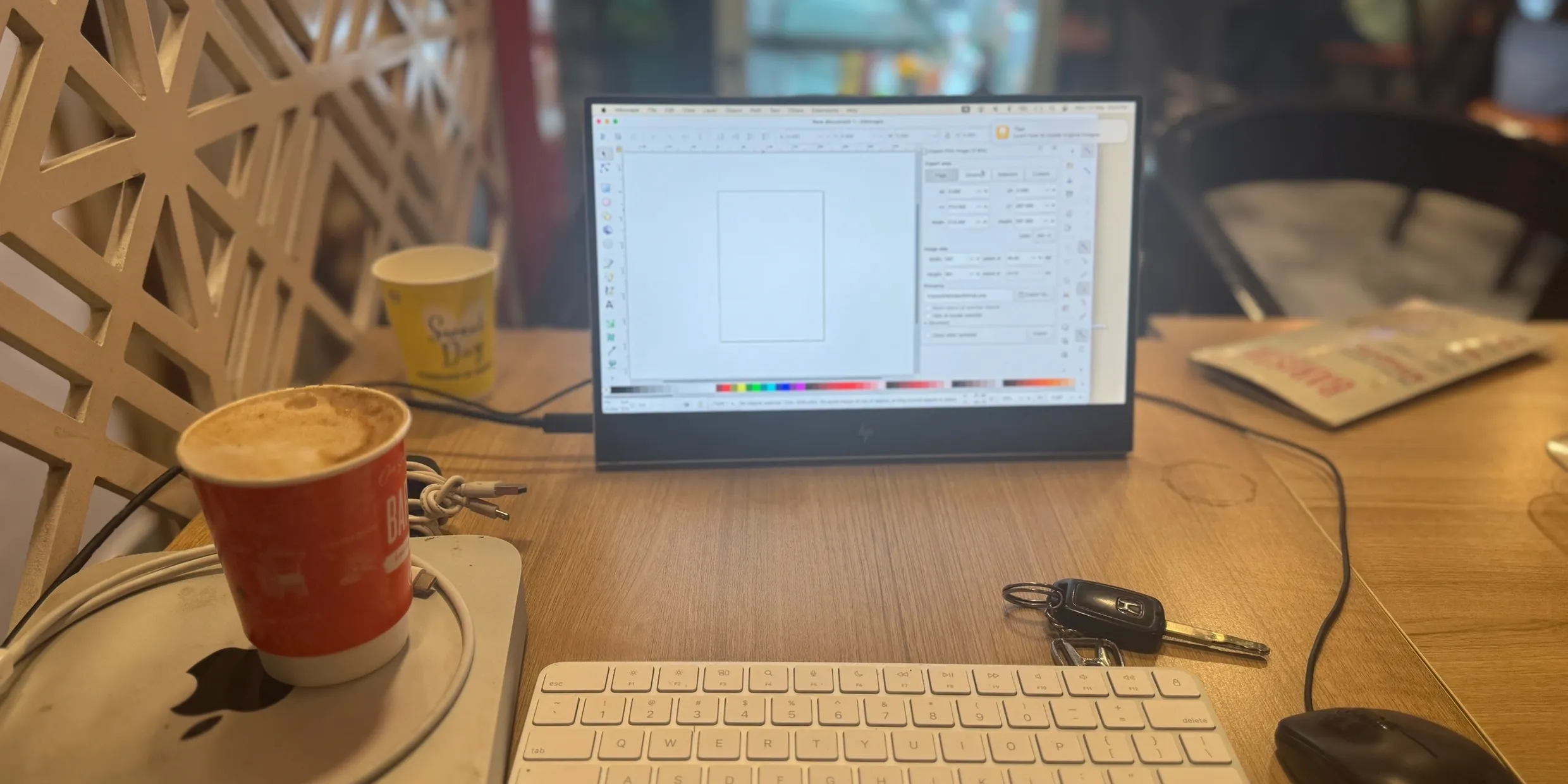 We plan to produce a laptop like portable platform based on a iPhone by combining it with a portable external screen and user input perpherals. We will showcase InterUnit-UI running on this platform.
The primary functions of any graphical user interface are
selection, timed-execution, text-input and content description.
Content description using a GUI is a good way to validate its efficiency.
We plan to showcase InterUnit-UI on this planned platform, by demonstrating The Specifier (an MCAD app) running on it.
The primary function of the Specifier is
a (visual) description of 3D objects, or processes relating to 3D objects.
Hence it's a good way to validate both the development-efficiency and usage-efficiency of InterUnit-UI on this planned platform.
Platform description
The planned platform has the following components:
- An iPhone 15 Pro or Samsung Galaxy S25 or Motorola Signature smartphone
- An HP E14 G4 FHD screen
- An Apple keyboard with numeric keypad
- A specially designed cradle for the smartphone.
The A17 Pro SOC (iPhone 15 Pro)
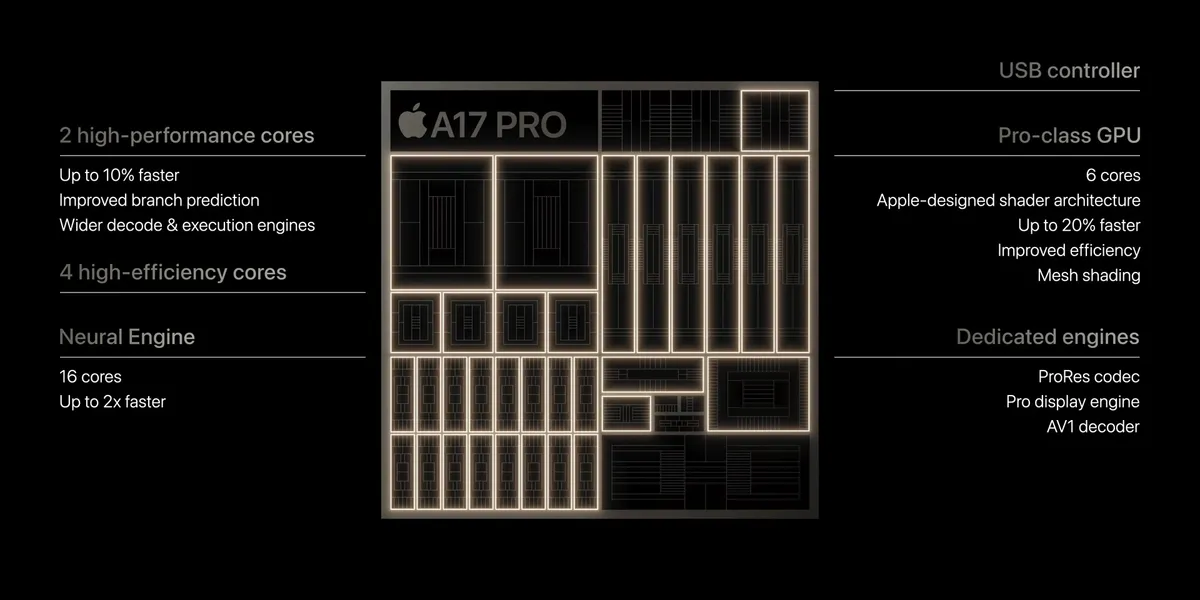
Apple's A17 pro SOC contains a 3.78 GHz ARM ISA based microprocessor,
a 6-core graphics engine and a 6.4GHz DDR4 memory interface.
It's a well designed low power SOC that can easily be used in a desktop design environment.
It can drive a 4k screen at 30Hz
and has enough processing power for graphics intensive applications
(that have high computational requirements).
The Snapdragon 8 SOC (Android)
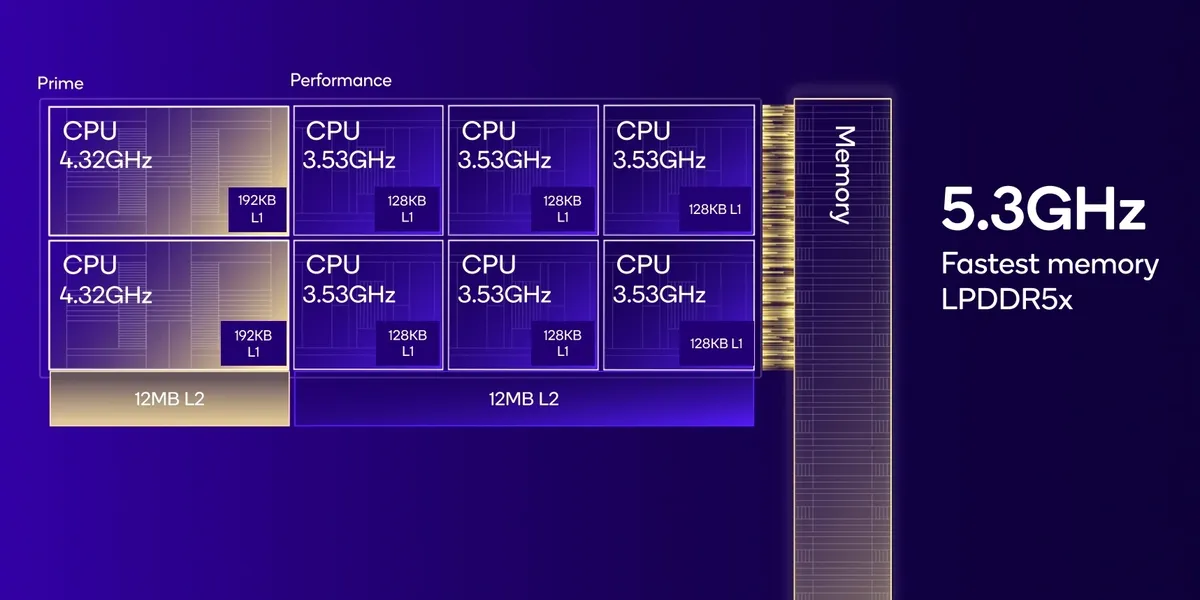
Qualcomms's SnapDragon 8 SOC.
The HP E14 G4 screen
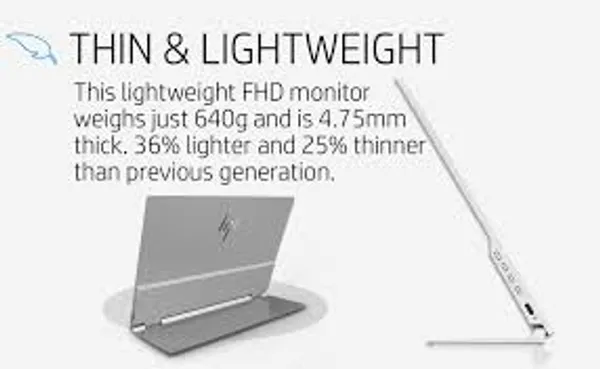
This is a 14" FHD portable screen.
It has a small built-in battery and a well designed hinge that folds open to a 78 deg screen-angle.
2 USB-C input ports for charging or display data.
We use a small Xiaomi 4900 mAh Powerbank to keep the screen charged
and an AirPlay receiver dongle to connect to it wirelessly.
The Apple Magic Keyboard with Numeric Keypad
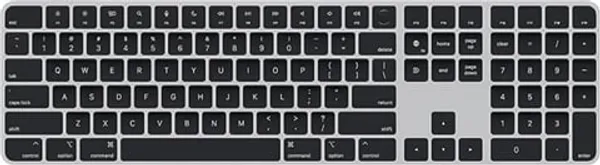
This is a lightweight, compact form-factor keyboard.
It connects wirelessly over Bluetooth. USB-C charging port.
It is the same width as : and half the height of : the HP G14 E4 screen.
The numeric keypad adds full size arrow keys
which are used as part of InterUnit-UI design-conventions.